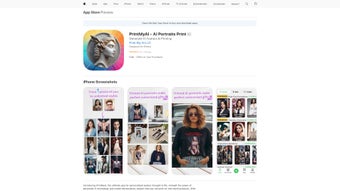

Download PrintMyAI – Free AI‑Powered Design Web App for Creatives
Intro – Why PrintMyAI Deserves Your Attention
PrintMyAI arrives at a moment when designers, marketers, and hobbyists alike are looking for faster ways to turn ideas into polished visuals. Built as a pure‑browser solution, the platform eliminates the need for bulky desktop installations while still delivering high‑resolution, printable graphics. The core promise is simple: type a natural‑language prompt, watch the AI generate a design, then export it as PDF, PNG, or SVG.
Because the heavy processing happens on secure cloud servers, users benefit from up‑to‑date AI models without ever downloading updates. Security is baked in with HTTPS encryption and private cloud storage that only you (or invited collaborators) can access. The free tier provides a generous set of templates, unlimited AI‑generated drafts, and standard export options, making it an attractive entry point for freelancers on a budget or teams that need quick turn‑around for social‑media assets, flyers, and posters.
Whether you run Windows, macOS, Linux, Android, or iOS, PrintMyAI works in any modern browser, giving you the flexibility to design from a laptop in a coffee shop, a tablet on a client site, or a desktop in a studio. This introductory overview sets the stage for a deeper dive into the platform’s capabilities, installation flow, and real‑world benefits.
Overview – Core Capabilities and User Experience
PrintMyAI positions itself as a bridge between traditional graphic‑design suites and emerging AI‑driven creativity. The workflow begins with a clean dashboard that displays recent projects, a library of pre‑built templates, and a prominent “Create New Design” button. When you launch a new project, a simple text box invites you to describe the visual you need—think “retro travel poster with palm trees and neon sunset.” Within seconds the AI engine proposes three distinct concepts, each rendered at vector quality.
Users can select a concept and immediately adjust colors, fonts, and layout using familiar side panels that mimic classic design software. The platform supports real‑time collaboration; a shareable link lets teammates edit the same canvas simultaneously, removing the back‑and‑forth of file exchanges. Export options are professional‑grade: PDFs are print‑ready, PNGs retain transparency, and SVGs stay fully editable in vector editors.
All files are stored in an encrypted cloud workspace, and export links automatically expire after 24 hours for added safety. Updates roll out automatically, meaning you always work with the latest AI algorithms and UI enhancements without manual downloads. This seamless, browser‑centric experience makes PrintMyAI a compelling choice for anyone who wants high‑quality design output without the steep learning curve or hardware demands of traditional tools.
Features, Installation & Compatibility – Getting Started and Making the Most of PrintMyAI
Key Feature List
- AI‑Generated Design Engine: Transform text prompts into vector‑ready artwork in seconds.
- Template Library: Hundreds of ready‑made layouts for posters, flyers, business cards, and social media.
- Multi‑Format Export: PDF, PNG, and SVG downloads for both print and digital use.
- Secure Cloud Storage: Encrypted projects accessible from any device.
- Real‑Time Collaboration: Shareable links enable simultaneous editing.
- Progressive Web App (PWA): Add to Home Screen for a native‑app feel and offline UI caching.
- Accessibility Options: Keyboard navigation, high‑contrast mode, and screen‑reader support.
- Free Tier + Premium Add‑Ons: Core features are free; premium assets and higher‑resolution exports are optional.
- Cross‑Browser Support: Works on Chrome, Edge, Safari, Firefox, and even Internet Explorer.
- Automatic Updates: New AI models and UI tweaks delivered instantly.
Installation & First‑Run Instructions
Because PrintMyAI is a web‑based application, there is no traditional installation. To begin, navigate to the official PrintMyAI URL, click “Sign Up,” and complete the short registration form (email, password, and verification link). After confirming your account, you land on the main dashboard.
Click “Create New Design,” enter your textual prompt, and select a style preset from the dropdown menu (e.g., vintage, minimalist, futuristic). The AI will generate three options; preview each, pick your favorite, and fine‑tune the design using the side panels for colors, typography, and layout. When you’re satisfied, click “Download,” choose the desired format, and a secure, time‑limited link will appear for you to save the file.
Compatibility Details
PrintMyAI runs entirely in the browser, so it supports any device that can run a modern browser. Officially supported operating systems include Windows 10/11, macOS Catalina and later, popular Linux distributions, Android 8.0+, and iOS 13+. For a more app‑like experience, users on Chrome, Edge, or Safari can install the Progressive Web App (PWA) by selecting “Add to Home Screen.” The PWA caches the UI locally, providing faster subsequent loads and limited offline functionality (you can view the dashboard and previously opened projects, but AI generation still requires an internet connection). This broad compatibility ensures that designers can work from a desktop workstation, a tablet in the field, or a smartphone on the go, all while enjoying the same feature set.
Pros, Cons, and Frequently Asked Questions
Pros
- Zero download – fully browser based.
- AI generates high‑quality, printable designs from simple text.
- Works on all major browsers and operating systems.
- Secure HTTPS encryption and private cloud storage.
- Free tier provides generous functionality.
- Real‑time collaboration link simplifies teamwork.
- Instant automatic updates keep AI models current.
- Export options cover print‑ready PDF, PNG, and SVG.
- PWA adds native‑app feel and offline UI caching.
- Comprehensive accessibility settings.
Cons
- Requires an internet connection for AI generation.
- Free tier limits export resolution for very large prints.
- Premium assets and high‑resolution exports need a subscription.
- AI output may need manual tweaks for highly specific branding.
- Performance can vary during peak server load times.
FAQ
Is PrintMyAI truly free?
Yes. The core AI engine, template library, and standard export formats are free. Premium assets and higher‑resolution outputs are optional paid upgrades.
Do I need to install any software?
No. PrintMyAI runs completely in modern browsers. You can optionally add the Progressive Web App for a native‑app experience.
Which browsers are supported?
Chrome, Edge, Safari, Firefox, and Internet Explorer are all supported, though the latest Chrome, Edge, or Safari versions provide the best performance.
Can I collaborate with teammates?
Yes. Each project can generate a shareable link that allows multiple users to edit the design in real time.
How secure is my data?
All data transfers use HTTPS encryption, and projects are stored in a private cloud workspace accessible only to you and invited collaborators. Export links expire after 24 hours.
Conclusion – Take the Next Step with PrintMyAI
If you need a fast, free, and secure way to produce printable graphics without installing heavyweight software, PrintMyAI checks all the boxes. Its AI‑driven engine, extensive template library, and professional export options give freelancers, small agencies, and educators the tools they need to create high‑quality visuals on a tight budget. While an internet connection is required and the free tier caps export resolution, the overall value—especially the zero‑cost entry point—outweighs these minor limitations.
We recommend downloading (i.e., accessing) PrintMyAI today, signing up for a free account, and testing a few prompts to see how well the AI aligns with your creative workflow. Should you need premium assets or higher‑resolution files, the optional subscription can be added later without disrupting your existing projects. Start designing instantly, enjoy secure cloud storage, and experience AI‑enhanced creativity without any commitment.
PrintMyAI delivers a compelling blend of AI creativity and browser‑based convenience. The free tier is generous, and the secure cloud storage gives peace of mind. Minor limitations around offline use and premium assets are balanced by the overall flexibility and low entry cost.


.png)



